Why offline is a feature, not a fallback
Cloud-first apps treat offline as an error state: uploads queue, thumbnails go grey, and sometimes an entry silently fails. For a baby journal, the moments you most want are disproportionately in low-signal places: maternity wards, aeroplanes, rural grandparents, camping trips, basements with the washing machine.
An offline baby journal app that never needs to sync has no error state. The photo is saved the instant you tap; the timeline is always complete; search runs on the device. It also means capture is instant and your battery is not spent uploading in the background.
What works offline in Everkeep
Everything, because there is no server to reach:
- Capture photos, videos (up to five minutes on iPhone), voice memos and notes.
- Browse the Archive by Chapters, All entries or Calendar; open any memory in full quality.
- Search titles, notes and tags instantly.
- Transcribe and scan on-device. Voice transcription and text scanning use models that run on your phone (the optional speech model is downloaded once, then works offline).
- Back up to a ZIP in local storage, and restore from one.
- Export the PDF memory book or memory movie with Everkeep Pro.
The single thing that uses the internet is confirming your Pro purchase with the App Store or Google Play, which happens once.
How to use Everkeep as your offline baby journal
Set it up while you have Wi-Fi, then forget about connectivity.
- Install before the big dayDownload Everkeep from the App Store or Google Play and create your baby’s profile (a due date is fine; you can edit it after the birth).
- Download the speech model (optional)If you want voice memos transcribed, open Settings → Audio transcription and download the on-device model while on Wi-Fi. After that, transcription is offline.
- Capture anywhereIn the hospital, on the plane or at the cottage, tap Photo, Video, Voice or Note. The memory is saved to your phone immediately.
- Browse and search with no signalOpen Archive or Search. Everything is local, so results are instant even in airplane mode.
- Back up when you are homeCreate a ZIP backup in Settings and save it to a computer or your own drive. Nothing needed to sync in the meantime.
- Export offline tooWith Everkeep Pro, Export memory book → Create PDF works without a connection. Share it later, when you choose.
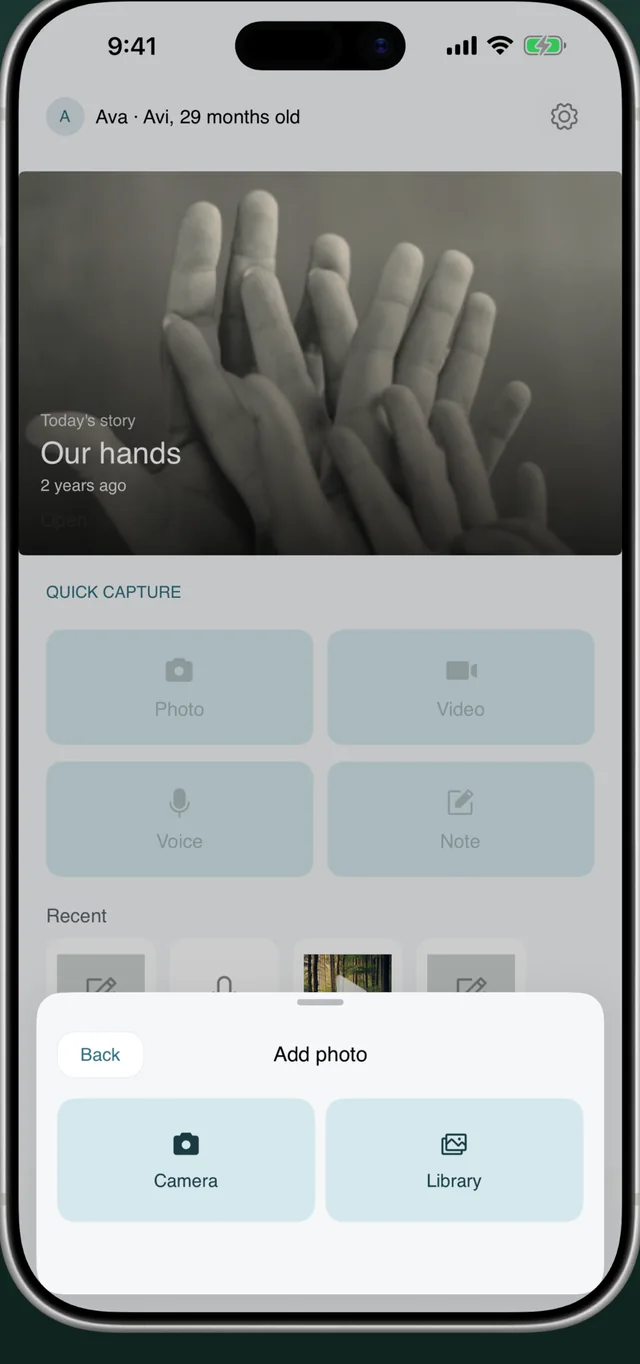
Capture where the signal isn'tEverkeep works in airplane mode, in the ward, at the lake. Free on iPhone and Android.
Offline baby journal FAQ
Does Everkeep sync between my phone and my partner's phone?
No. There is no sync and no account, which is what makes it fully offline and private. To move the journal to another device, use the ZIP backup and restore. To share individual moments, use the share sheet.
Will I lose memories if my phone breaks?
Only if you have no backup, the same as any offline data. Everkeep’s backup is a standard ZIP you can save anywhere; make one every few months, or after big milestones, and keep a copy off the phone.
Does transcription send my baby's voice to a server?
No. Voice transcription and text scanning run on the device using a downloaded model. Audio never leaves your phone.